Wi-Fi feels almost absurdly simple from the outside. Tap a network name, enter a password, and within seconds a phone can stream a film from a server thousands of kilometers away. No cable runs from the phone to the wall. Nothing visible crosses the room.
What fills that apparently empty space is radio.
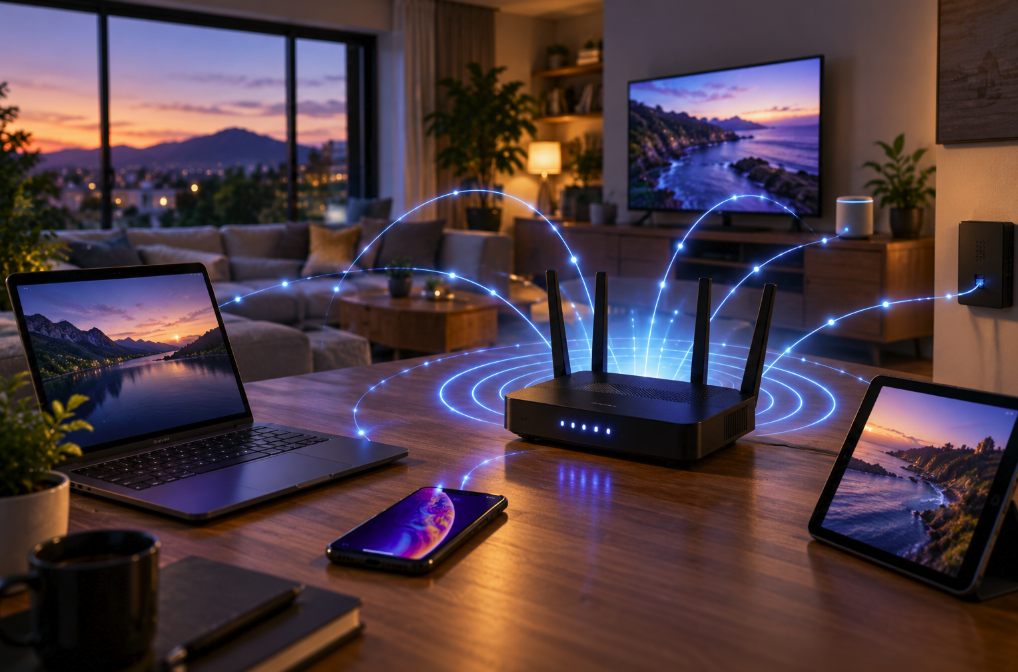
Wi-Fi is a wireless networking technology that moves digital information between devices using radio-frequency electromagnetic waves. Your laptop, phone or television communicates with a wireless access point, usually built into the box we casually call a Wi-Fi router. That access point then connects the wireless device to the rest of the local network and, in most homes, onward to the internet.
The comparison with AM or FM radio is useful up to a point. Both systems use electromagnetic waves to carry information through space. But Wi-Fi does not work like a tiny FM station broadcasting one continuous program to everyone. It is a two-way digital network in which devices exchange carefully structured packets of data according to the IEEE 802.11 family of standards.
From a webpage to radio waves
Imagine tapping a link on your phone. The information involved is represented digitally, ultimately as bits. Networking software organizes data into packets and frames containing not just payload but also information needed to deliver and interpret it.
The Wi-Fi radio inside the phone cannot simply throw a stream of literal ones and zeroes into the air. Instead, its electronics use a process called modulation to encode digital information into controlled changes in a radio signal. Modern Wi-Fi uses sophisticated modulation and signal-processing techniques that can encode multiple bits into radio symbols and make efficient use of available frequencies.
Your access point receives those signals, reconstructs the transmitted information and forwards the resulting network traffic toward its destination. Replies make the journey in reverse: internet to router, access point to radio signal, radio signal through the room, and finally back into digital data inside your device.
Cisco's current explanation of how a Wi-Fi network works describes information traveling in packets over radio waves, with network addressing and packet instructions helping data reach the intended endpoints. In a typical home, the wireless router combines two jobs that are technically distinct: an access point provides the radio connection, while the router directs traffic between networks.
This distinction explains an everyday mystery: Wi-Fi and the internet are not the same thing.
You can be connected perfectly to your Wi-Fi network while having no internet access at all. Your phone may still communicate with a printer, media server or another device inside the house even if the broadband line outside has failed. Wi-Fi is the local wireless link; the internet is the enormous collection of networks beyond it.
Why Wi-Fi uses 2.4, 5 and now 6 GHz
For years, consumer Wi-Fi was commonly described as operating on two frequency bands: 2.4 GHz and 5 GHz. That description is now incomplete. Newer Wi-Fi 6E and Wi-Fi 7 equipment can also use spectrum in the 6 GHz range.
Cisco's current wireless RF reference identifies 2.4, 5 and 6 GHz as the three central Wi-Fi allocations used in the United States and many other places. In the U.S., the Federal Communications Commission opened the 5.925–7.125 GHz band to new categories of unlicensed operation, creating a huge additional block of spectrum for technologies including Wi-Fi.
The numbers describe the frequency of the radio waves — billions of cycles per second. They do not mean that a 5 GHz connection is automatically twice as fast as a 2.4 GHz connection. Speed depends on many other factors, including channel width, signal quality, interference, the Wi-Fi generation, antenna configuration, device capabilities and how many users are competing for airtime.
Frequency does affect propagation, however. In ordinary indoor environments, 2.4 GHz tends to travel farther and penetrate obstacles better than the higher Wi-Fi bands. The 5 GHz band provides substantially more room for high-capacity networking, while 6 GHz adds still more spectrum and wide channels for compatible devices.
This is why a distant bedroom might retain a stubborn but usable 2.4 GHz signal after a faster 5 or 6 GHz connection has weakened. Walls, floors, metal, water and simple distance all attenuate radio energy. Concrete and brick can be especially troublesome, while metal can dramatically alter how signals propagate.
How dozens of devices avoid talking over each other
A modern home can contain an astonishing number of radios: phones, laptops, televisions, game consoles, speakers, watches, cameras, appliances and neighboring access points. Yet many of them may be trying to use the same unlicensed spectrum.
Wi-Fi therefore needs rules for sharing the air. Unlike a switched Ethernet cable, where devices can have dedicated wired links, a Wi-Fi channel is fundamentally a shared radio medium. Devices coordinate access rather than simply transmitting whenever they please.
Older and simpler Wi-Fi behavior can be thought of as a highly organized conversation in which stations listen before speaking and use acknowledgments and retransmissions when necessary. Newer standards add increasingly sophisticated methods for using the available airtime efficiently.
Technologies such as OFDMA divide channel resources so that multiple users can be served more efficiently, while MU-MIMO uses multiple antennas and spatial processing to transmit separate data streams to multiple compatible devices. These techniques are among the reasons a contemporary access point can handle a busy home or office far more effectively than early Wi-Fi hardware.
Even so, congestion has not disappeared. Your neighbor's network can compete for the same channel. A crowded apartment building may contain dozens of access points within radio range. Other devices using unlicensed spectrum can also create interference, particularly around 2.4 GHz.
What happens when you join a Wi-Fi network?
Before your phone can send ordinary network traffic through an access point, the two devices need to establish a relationship. The access point advertises or otherwise makes available information about the wireless network. Your device discovers nearby networks, selects one and begins the authentication and association process defined by Wi-Fi protocols.
Cisco's technical documentation describes management-frame exchanges used during authentication and association. In practical terms, the access point and client establish that they can communicate, agree on relevant connection parameters and create the association that allows normal traffic to flow.
On a secured home network, encryption and authentication mechanisms then protect wireless traffic from casual interception and unauthorized access. Modern networks commonly use WPA2 or WPA3 security, with WPA3 providing newer protections where supported.
The password you type is therefore not what somehow “creates” the radio waves. The radio link already exists at a physical level. Security determines whether your device is authorized to participate in the protected network and how the wireless traffic is encrypted.
Why moving the router can change everything
Because Wi-Fi is radio, router placement is physics rather than superstition.
A signal loses strength as it travels, and obstacles absorb or redirect some of its energy. Hiding an access point inside a cabinet, placing it near large metal objects or putting it at one extreme end of a large home can produce weak coverage elsewhere. Moving the router into a more central, open position can sometimes improve a network more than buying a faster internet plan.
Large buildings solve the same problem by using multiple access points. A phone can move from the coverage area of one access point toward another while remaining on the broader wireless network. Mesh systems bring a version of this architecture into homes, using several nodes to expand coverage; depending on the system, communication between nodes may itself be wireless or use wired Ethernet.
There is another important limit: your Wi-Fi speed and your internet speed are different measurements. A laptop might have an extremely fast radio link to the router but still download slowly because the broadband connection is the bottleneck. The opposite can also happen: gigabit fiber may reach the router, while an old phone at the edge of the house manages only a fraction of that speed over Wi-Fi.
An invisible cable made of radio
The easiest mental model for Wi-Fi is not “internet floating through the air.” Think of it as an invisible, shared and constantly negotiated replacement for the cable between your device and the network.
The access point converts network traffic into radio transmissions. Your device receives them, decodes them and sends radio transmissions of its own. The process happens at extraordinary speed, with packets moving back and forth so rapidly that opening a website feels instantaneous.
And the technology continues to evolve. Wi-Fi 7 can exploit the newer 6 GHz spectrum, much wider channels and advanced techniques designed to increase throughput, capacity and responsiveness. The basic idea, though, remains recognizable from earlier generations: encode digital information onto radio waves, transmit it across a short distance, decode it at the other end and connect that wireless hop to a much larger network.
So the next time a video streams to a phone with no cable attached, the room is not empty at all. It is filled with electromagnetic signals carrying packets of information — an invisible conversation between tiny radios happening billions of times per second.