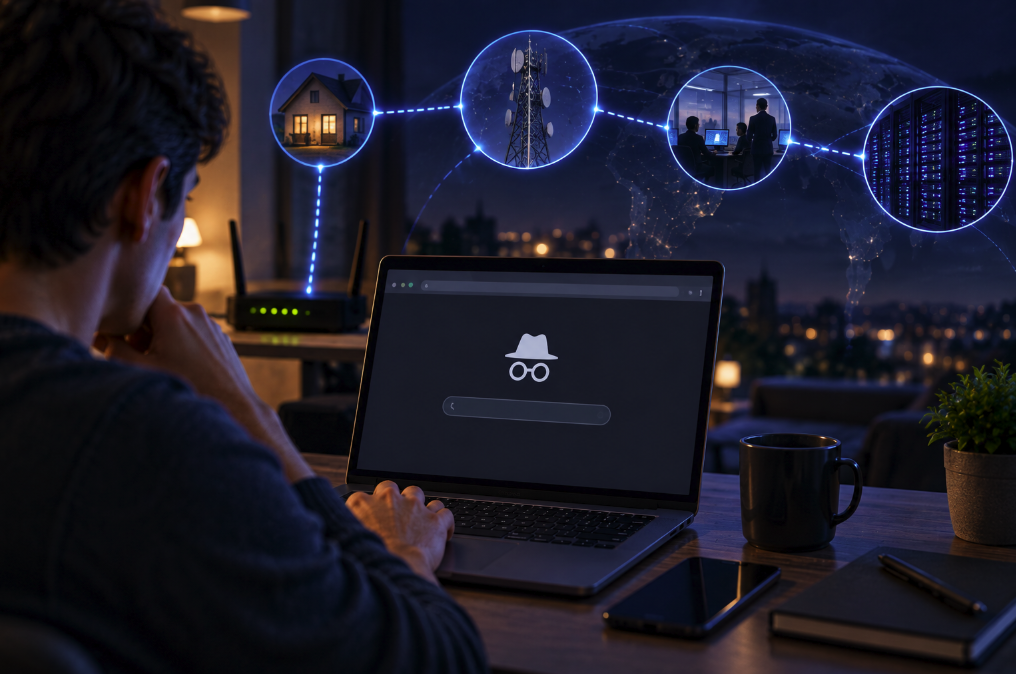
The little hat-and-glasses icon has become shorthand for secrecy. Open an Incognito window in Chrome — or a Private Browsing window in another browser — and it feels as though you have stepped into a hidden version of the internet where nothing follows you.
That is not what private browsing was designed to do.
Incognito mode is primarily a local privacy feature. It changes what the browser keeps on the device after a private session ends. It does not make your computer invisible to websites, disguise your connection from the network carrying it, or turn you into an anonymous internet user.
Google's own Chrome Incognito documentation is explicit about the distinction: Incognito limits information saved to your device, but websites and organizations managing your network — such as a school, employer or internet service provider — may still be able to observe your activity.
What Incognito mode actually deletes
When you open an Incognito window, Chrome starts a separate browsing session. Websites can still set cookies and store site data during that session because modern websites often need those mechanisms to function. The difference comes when the session ends.
After you close all Incognito windows, Chrome says it does not retain a record of the sites visited or the site data associated with that session. That makes Incognito useful on a shared computer. Someone who later opens the normal browser history should not find the list of pages you visited in the private session, and temporary cookies from those sites are discarded.
It is also useful for temporarily signing into a second account without mixing its cookies with your normal browser session. Developers and support staff often use private windows for exactly that reason.
But not everything disappears. Chrome retains bookmarks you create, and files you download remain on the device until you delete them yourself. Closing an Incognito window does not magically remove a PDF from the Downloads folder.
Firefox behaves on the same basic principle. Mozilla's current Private Browsing documentation says private windows avoid saving browsing information such as history and cookies after the session, while warning that the feature does not make the user anonymous online.
Your ISP is outside the browser
The easiest way to understand Incognito's limitation is to picture where it operates.
Your browser is only one part of the route between you and a website. A request may travel from your laptop through a Wi-Fi access point and router, across your internet provider's network, through additional networks and finally to the destination server. Incognito changes the browser's local record keeping. It does not reroute that network path.
This is why an ISP does not suddenly lose visibility just because the browser window is dark gray.
There is an important technical nuance, however. Modern websites overwhelmingly use HTTPS, which encrypts the contents exchanged between your browser and the website. An ISP carrying an HTTPS connection generally cannot simply read the page contents, passwords or messages inside that encrypted session.
But encryption of content is not the same thing as anonymity. Network operators can still observe connection information, and what they can infer about destinations depends on technologies such as DNS, TLS, encrypted DNS and newer privacy mechanisms. Incognito itself adds no special network encryption and no mechanism designed to conceal your public IP address.
So the accurate statement is not “your ISP can read everything you do in Incognito.” It is that Incognito provides no additional protection against network-level observation beyond whatever protections — such as HTTPS — your connection already uses.
Websites can still know who you are
Private browsing also does not hide you from the website at the other end.
When you connect to a website, the server still receives a network connection and can ordinarily see the public IP address from which that connection arrives. It can also receive information your browser sends as part of normal web operation and may use various signals to distinguish or recognize visitors.
And there is an even simpler way to defeat any illusion of anonymity: log in.
If you open Incognito mode and sign into your email, social network or shopping account, that service knows which account is using it. Google specifically notes that Incognito does not prevent you from telling a website who you are; if you sign in, the site can associate activity with you from that point.
Private mode may start you with a fresh cookie environment, but it cannot make a website forget your identity after you explicitly provide it.
Why an employer or school may still see activity
Workplace and school networks add another layer. An organization may operate the Wi-Fi, DNS infrastructure, firewalls, security gateways or managed devices through which browsing occurs. Depending on its configuration and policies, it may collect logs or use monitoring software independently of the browser's history database.
That means deleting local browser history does not delete records that were created somewhere else.
The same principle applies to parental-control software, endpoint-security tools and other management systems installed on a device. If software outside Chrome records network activity, opening an Incognito window does not automatically disable that software.
This is why Google's documentation describes Incognito as helping keep browsing private from other people who use the same device, rather than as a system for defeating administrators or network monitoring.
Does a VPN make Incognito truly private?
A virtual private network solves a different problem. A VPN creates an encrypted connection between your device and a VPN server. In a typical setup, the local ISP sees the encrypted connection to the VPN provider rather than the final destination connections in the same way it would without the VPN. Websites then generally see the VPN server's public IP address rather than your ordinary ISP-facing public IP.
That can improve network privacy, especially on networks you do not trust. But it does not create perfect anonymity.
You have shifted part of the trust relationship from the ISP to the VPN provider, which is now in a privileged position in the connection path. A website can still identify you if you sign in. Browser fingerprinting and account activity can still provide identifying signals. Malware or monitoring software already installed on the device may remain a problem.
A VPN and Incognito therefore complement different goals. Incognito reduces traces left by the browser on the local device after the session. A VPN changes the network route and encrypts traffic between the device and VPN server. Neither is an invisibility cloak.
What Incognito is genuinely good for
The feature is much more useful once its purpose is understood. On a shared family computer, it can prevent your session history and temporary site cookies from becoming part of the next person's normal browser session. It can keep a surprise gift search out of the browser history. It can let you sign into an alternate account temporarily. It can provide a cleaner session when troubleshooting a website.
Those are meaningful privacy benefits. They are simply local benefits.
The confusion comes largely from the name. “Incognito” evokes anonymity, disguises and hidden identities. The underlying technology is closer to a browser saying: when this temporary session is over, don't keep my ordinary local history and site data from it.
That is why private browsing can simultaneously be working exactly as intended while your employer's network logs a connection, your ISP carries the traffic and the website you signed into knows precisely which account you used.
The most useful question is therefore not “Am I invisible?” but “Private from whom?” Incognito can help hide a browsing session from another person who later uses your browser. HTTPS protects the contents of connections in transit. A VPN can change what the local network and destination see about the route. Website privacy controls affect another layer again.
Online privacy is not one switch. It is a stack of technologies and trust relationships — and Incognito mode controls only one part of that stack.